 Menu
Menu
I'm currently working on a program where certain numerical variables, which evolve over time, have their value displayed on each iteration. That works well enough, but now I want to plot a graph that shows their evolution over time. So, I looked into an example of code for plotting graphs in Swing. My final code looks like this:
public class Populus3 extends JPanel
{
    public static void main(String[] args) throws IOException {

        final Populus3 pop = new Populus3();

        JFrame f = new JFrame(); //where I want to plot the graph
        f.setDefaultCloseOperation(JFrame.EXIT_ON_CLOSE);
        f.add(new GraphingData());
        f.setSize(400,400);
        f.setLocation(200,200);
        f.setVisible(true);


        frame = new JFrame("Animation Frame"); //where I'm running animation for another element of the program
        frame.add(pop, BorderLayout.CENTER);
        frame.setSize(graphSize, graphSize);
        frame.setVisible(true);
        frame.setDefaultCloseOperation(JFrame.EXIT_ON_CLOSE);

        //insert all sort of things

    }


    public void paint(Graphics g)
    {
        super.paint(g);
        paintCell(g, 1);
        Toolkit.getDefaultToolkit().sync(); // necessary for linux users to draw  and animate image correctly
        g.dispose();
    }


      public void actionPerformed(ActionEvent e) {
        repaint();
    }


    @Override
    protected void paintComponent(Graphics g)
    {
        super.paintComponent(g);
        for(int i = 0; i < particleType.length; i++)
            paintCell(g, i);  //a method that draws a small circle for the animation panel
    }


    public static class GraphingData extends JPanel {
        int[] data = {
            21, 14, 18, 03, 86, 88, 74, 87, 54, 77,
            61, 55, 48, 60, 49, 36, 38, 27, 20, 18
        };
        final int PAD = 20;

        protected void paintComponent(Graphics g) {
            super.paintComponent(g);
            Graphics2D g2 = (Graphics2D)g;
            g2.setRenderingHint(RenderingHints.KEY_ANTIALIASING,
                                RenderingHints.VALUE_ANTIALIAS_ON);
            int w = getWidth();
            int h = getHeight();
            // Draw ordinate.
            g2.draw(new Line2D.Double(PAD, PAD, PAD, h-PAD));

            // Draw abcissa.
            g2.draw(new Line2D.Double(PAD, h-PAD, w-PAD, h-PAD));
            double xInc = (double)(w - 2*PAD)/(data.length-1);
            double scale = (double)(h - 2*PAD)/getMax();
            // Mark data points.
            g2.setPaint(Color.red);
            for(int i = 0; i < data.length; i++) {
                double x = PAD + i*xInc;
                double y = h - PAD - scale*data[i];
                g2.fill(new Ellipse2D.Double(x-2, y-2, 4, 4));
            }
        }

        private int getMax() {
            int max = -Integer.MAX_VALUE;
            for(int i = 0; i < data.length; i++) {
                if(data[i] > max)
                    max = data[i];
            }
            return max;
        }
    }
}
Now, the animation panel works just fine. The graph panel, on the other hand...when I run the program, it displays a bunch of red dots, without lines to connect them. What am I doing wrong?
 996
996
 asked May 18 '26 01:05
In addition to @Hovercraft's helpful suggestions, also consider these other approaches:
GeneralPath that may be rendered as required, for example.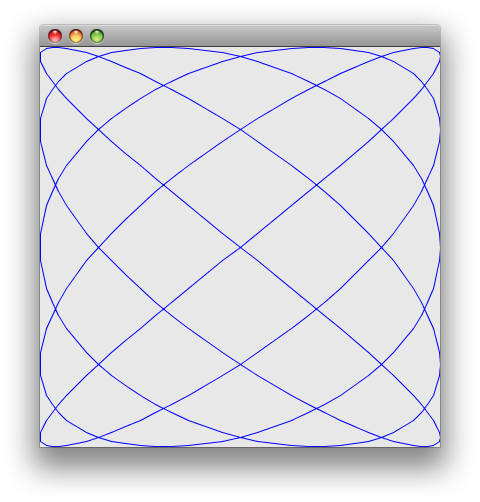
drawLine() using a suitable coordinate system, outlined here.
JFreeChart.
186
Your code confuses me:
paintCell(...).Toolkit.getDefaultToolkit().sync(); for Swing applications. Do you have a reference for this need?Consider isolating your problem more and posting an sscce, a minimal test program that we can compile, run, modify and correct and that shows us your problem, but has no extra code not related to the problem or required for demonstration.
36
If you love us? You can donate to us via Paypal or buy me a coffee so we can maintain and grow! Thank you!
Donate Us With

