 Menu
Menu
Using ColorZilla I found an interesting feature. If I pick a color from firefox (bars,tabs or anything else of the browser) and then go to:
ColorZilla > Inspect Last Element > In Firebug
Then I can see the markup,css,js that firefox uses in the firebug panel just like a website.
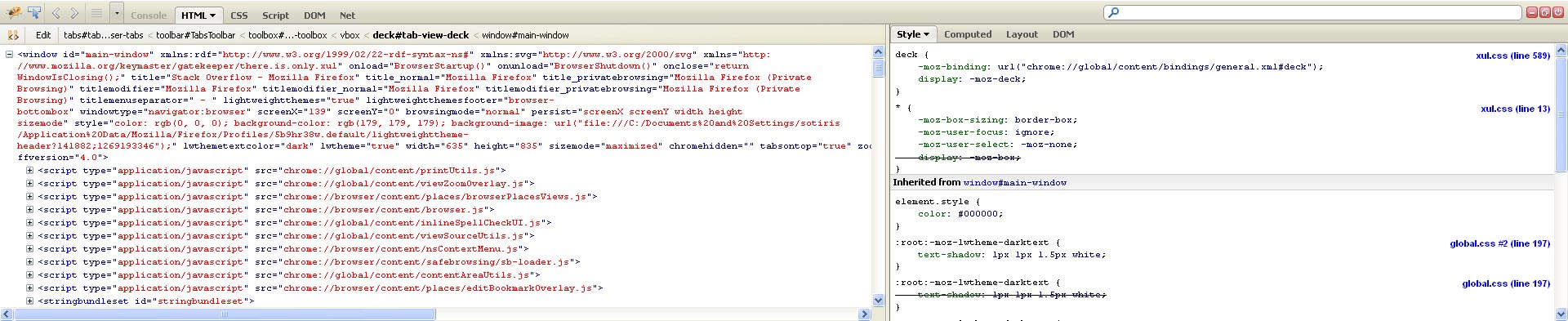
Is there any solution to view this code without use Colorzilla?
 418
418
As mentioned in the comments, Chromebug is no longer working with current Firefox versions. Instead of opening the limited chrome://browser/content/browser.xul page, you can make the browser chrome accessible to the scratchpad. Open the about:config page and set devtools.chrome.enabled to true, as described in the extension development environment setup guide on MDN.
Open the JavaScript scratchpad (Shift+F4) and select the browser context environment. Now you can type in something like window or document.getElementById('urlbar') and click the inspect button or hit Ctrl+i. This will evaluate the expression and open the element inspector, which shows all properties of the element.
182
If you love us? You can donate to us via Paypal or buy me a coffee so we can maintain and grow! Thank you!
Donate Us With

