Menu
Menu
I'm trying to put OutlinedTextField into the Column after Box element like this
@Composable
fun Header() {
    Column {
        Box(
            modifier = Modifier
                .border(1.dp, Color.Cyan)
        ) {
            Text("Header")
        }

        OutlinedTextField(
            modifier = Modifier
                .fillMaxWidth()
                .border(1.dp, Color.Cyan),
            value = "",
            onValueChange = {},
            placeholder = {
                Text("Enter header")
            }
        )
    }
}
Borders added to see exact size of elements. It looks like this
 with extra 8dp padding above, but when I use TextField instead of OutlinedTextField there are no extra space
@Composable
fun Header() {
    Column {
        Box(
            modifier = Modifier
                .border(1.dp, Color.Cyan)
        ) {
            Text("Header")
        }

        TextField(
            modifier = Modifier
                .fillMaxWidth()
                .border(1.dp, Color.Cyan),
            value = "",
            onValueChange = {},
            placeholder = {
                Text("Enter header")
            }
        )
    }
}
 I need to know why it is happening and how to solve it
Version of library is "androidx.compose.material:material:1.0.0-alpha10"
 722
722
 asked May 03 '26 11:05
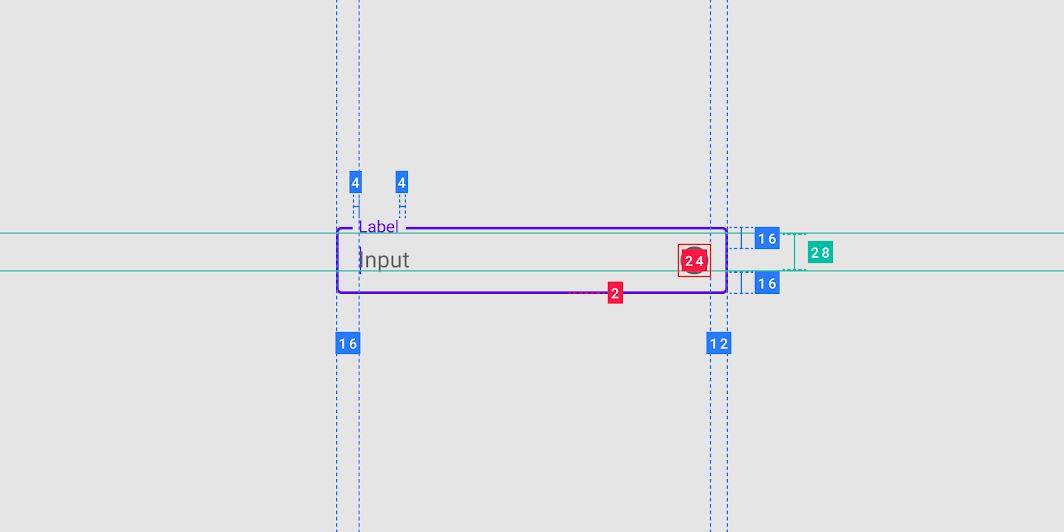
The Padding above OutlinedTextField is there because the label moves to the top when in focus, which requires space.
If you don't want this feature, you can create your own outlined text field composable by modifying BasicTextField.
143
If you love us? You can donate to us via Paypal or buy me a coffee so we can maintain and grow! Thank you!
Donate Us With