Menu
Menu
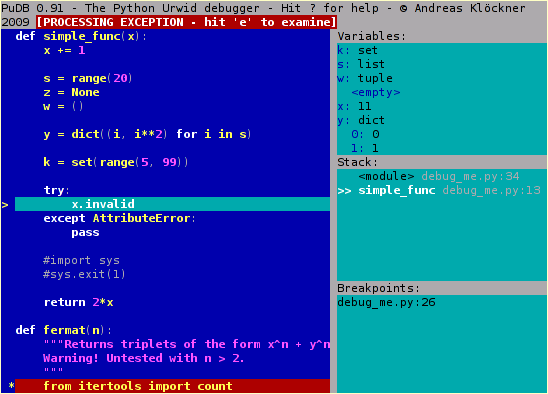
I've been using pudb to debug python code, it's pretty straight forward and into the terminal. But I don't like the colors it has at all.
It is something like the image below.
I found in the folder inside
.local/lib/python3.8/site-packages/pudb
a file name themes.py but even if a try to change it there nothing happens
 782
782
 asked May 17 '26 15:05
There is a config menu Ctrl + p and there you can select a theme.
88
I edited the pudb config file at ~/.config/pudb/pudb.cfg and set theme = dark vim. For example, here is the snippet from my pudb.cfg :
.
.
sidebar_width = 0.5
stack_weight = 1
stringifier = default
theme = dark vim
variables_weight = 1
wrap_variables = Tru
.
.
Available themes(Jan 2023) taken from here are :
THEMES = [
    "classic",
    "vim",
    "dark vim",
    "midnight",
    "solarized",
    "agr-256",
    "monokai",
    "monokai-256",
    "mono",
]
If you love us? You can donate to us via Paypal or buy me a coffee so we can maintain and grow! Thank you!
Donate Us With