 Menu
Menu
I have a dataframe that looks like this:
data
    median  min max no_of_threads
    2.33    2.10    6.85    1
    2.43    2.14    3.41    2
    2.39    2.13    7.90    3
    2.74    2.10    8.30    4
    2.53    2.21    6.69    5
I made this R function, that plots data$min and data$max as range, and data$median as line:
scalability_graph <- function(data){
  h <- ggplot(data)
  h <- h +
      geom_ribbon(aes(x = no_of_threads, ymin = min, ymax = max)) +
      geom_line(aes(x = no_of_threads, y=median, color="#CC873D")) +
      scale_x_continuous("Number of threads", lim=c(0,20)) +
      scale_y_continuous("Response time", lim=c(0,13)) +
      opts(legend.position=c(0.20,0.90))
}
The script produces this plot:
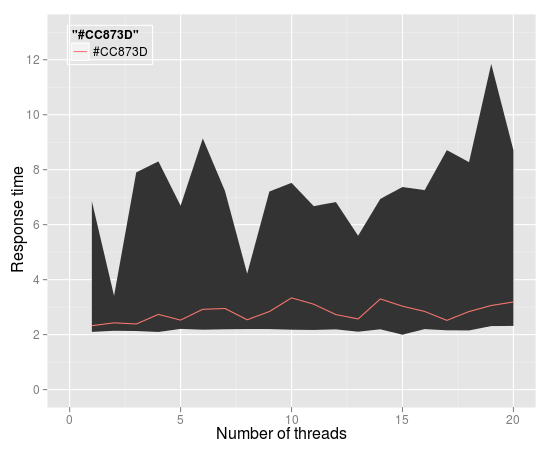
How to change labels in legend and put "range" instead of top bold string, and "median" instead of bottom label?
 419
419
you can do that by adding this one:
+ scale_colour_manual("range", labels = "median", values = "#CC873D", breaks = "#CC873D")
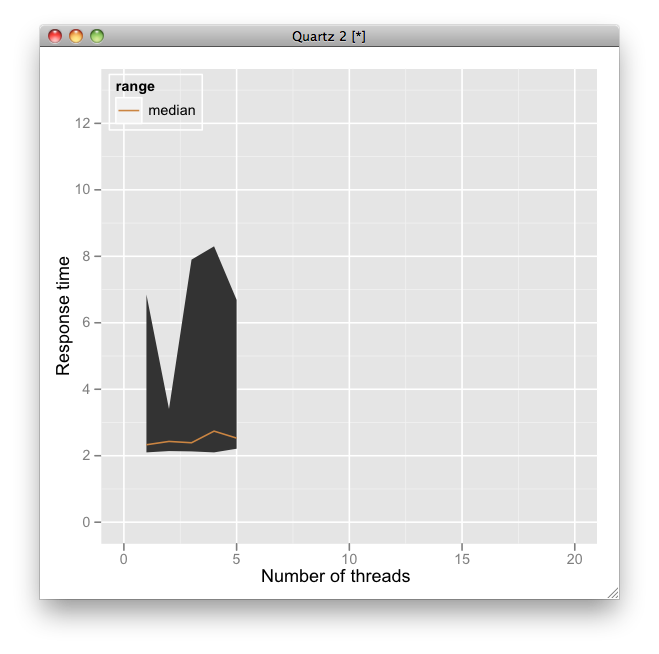
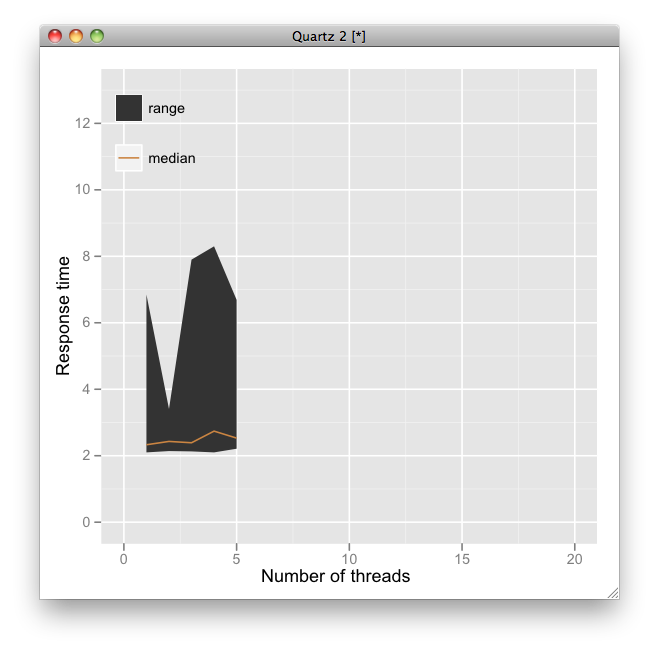
but your plot and legend should be like this?
h <- ggplot(data, aes(no_of_threads, median)) +
  geom_ribbon(aes(ymin = min, ymax = max, fill = factor(1))) +
  geom_line(aes(color=factor(1))) +
  scale_x_continuous("Number of threads", lim=c(0,20)) +
  scale_y_continuous("Response time", lim=c(0,13)) +
  scale_fill_manual(breaks = 1, values = "grey20", labels = "range") +
  scale_colour_manual(breaks = 1, values = "#CC873D", labels = "median") +
  opts(legend.position=c(0.20,0.85), legend.title = theme_blank(), legend.background = theme_blank())
113
If you love us? You can donate to us via Paypal or buy me a coffee so we can maintain and grow! Thank you!
Donate Us With

